Wednesday, November 7, 2012

Tips And Tricks on Android Security To Keep Away From the Android Malware

When We download all kinds of Apps for our Android smartphone, and enjoy what these apps bring us,have you ever consider you are probably in risk? And what’s more, a new report from Kaspersky Labs stated that if you are still running on the Android 2.3 Gingerbread, You might want to watch your back carefully when it comes to malware.Android 2.3 version gets the largest users among other android version,so there is no doubt that it is the first choice to be attacked.The second attack target goes to Android 4.0.New versions of Android have a lot less to worry about.

You may wonder why and how. Now let’s make it sound sense.According to a survey by Bit9,72 percent of all Android apps in the Google Play market request access to at least one potentially risky permission. For example, 42 percent request access to GPS location data, 31 percent want access to phone number and phone call history, and 26 percent ask for permission to access personal information. Bit9 discovered 285 apps that use 25 or more system permissions.
Let's see the charts below to see what is going on:

1 The percentage in the attacks for each Android version

2 List of category of attacks


3 The attack density differs in countries

As for this,the malware collect your phone information,send message out or send trash message in,change your homepage,surf the internet automatically etc.What’s worse is that some malware aim to destroy your phone.
                                     
So just keep away from third party sites and only side-load apps from trusted sources. Pay attention to strange texts which ask you to download random updates and files. If you do that, you should blame yourself for the coming problem.

Even you are downloading some attractive game apps, think twice about whether it really needs access to your GPS location data. If you download a music playing app, ask yourself if it really needs permission to access all of your contacts and personal information. Make sure you know what permissions you are granting before you tap to accept them, and don’t install apps that require questionable or suspicious access to your device.Some device may not allow you to choose, now Google is working to solve this problem.

For the latest Android 4.2 Jelly Bean release, the Android Team is baking in new security features to help protect users from apps containing malicious code, an extension of new protections added to the Google Play last month. Users of Android 4.2 can now opt to allow the OS to scan all installed apps for signs of dirty code.

You can choose to install some security apps from trusted Anti-Virus products to protect your phone from malware like avast! Mobile Security or Kaspersky Mobile Security.You can also go to read Top 3 Anti-Virus Android Apps For Your Phone Saftey for detailed information for suggestion.

Tuesday, November 6, 2012

Best 5 Christmas Live Wallpaper Apps for the Android in 2012

Wow…there are only 47 days left before Christmas 2012 arrives, not far away from us. With the upcoming Christmas, Intensely festive atmosphere get closer and closer to us. And Android activations have seen a boost soar on Christmas Eve, according the news from Mashable. Ok, here I will introduce a series of Christmas live wallpaper apps for your Android phone to help you enjoy more during the holiday season, in addition to popular customs like exchanging gifts, decorating Christmas trees, attending church, sharing meals with family and friends and, of course, waiting for Santa Claus to arrive.

Top 5: Christmas Live Wallpaper Free

With this App, you can enjoy watching live effects of gently falling snowflakes or play the sound of holiday music. Decorate and light up the Christmas Tree, make up the fire in the house, scroll the winter scene or tilt your phone to see amazing accelerometer effects are all allowed.

Top 4: Snowfall Free Live Wallpaper
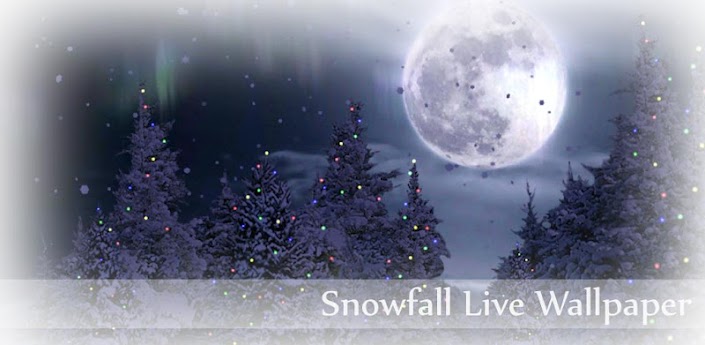
Snowfall Free Live Wallpaper
Snowfall is a beautiful live wallpaper featuring gentle snowflakes falling overtop swaying pine trees. Not a movie, with full support for landscape mode and home screen switching!

Top 3: Christmas Tree Live Wallpaper
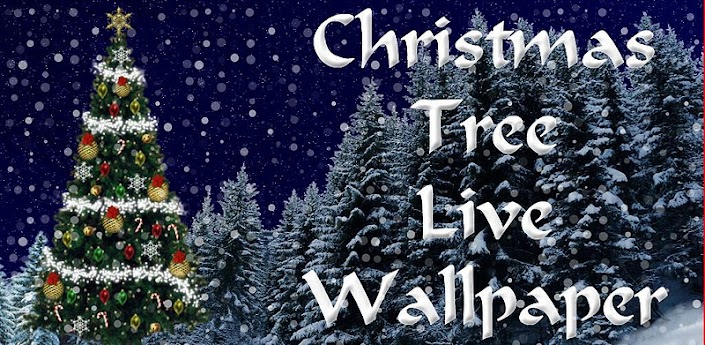
Christmas Tree Live Wallpaper
Christmas Tree Live Wallpaper is the most downloaded holidays Live Wallpaper on the Google Market, and is the only fully customizable Android Free Live Wallpaper, that does not require you to buy a paid version to enable settings.

Top 2:  3D Christmas Live Wallpaper
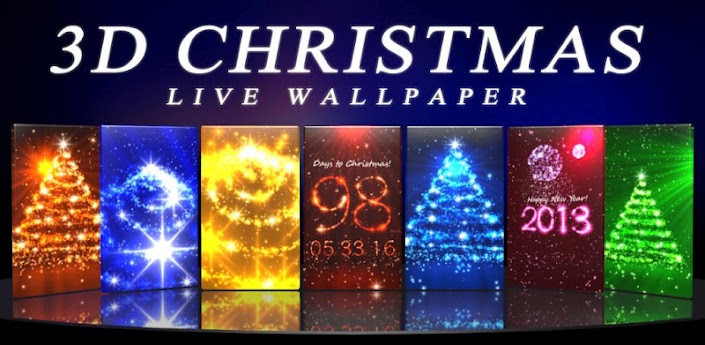
3D Christmas Live Wallpaper Fr
This App Features a sparkling Christmas Tree of Light, plus an exciting Countdown to Christmas and the New Year. Both scenes in the free version can be enjoyed as a live wallpaper background, or as a fully interactive foreground app where you can look around freely, and quickly customize your settings.

Top 1: Christmas HD
This app can celebrate the wonders of Christmas - in true 3-D! Customize every part of the scene, including your own photograph on the fireplace, your text on the stockings and the message for Santa. Choose the color of lights; customize the ornaments, gifts and ribbons, snowflakes, garland, tree topper, and more!
This wallpaper is true 3-D with hand-crafted artwork. Feature silky-smooth animations while conserving your battery life.

A small tip for beginners:

Download and Install the live wallpapers from the download links given below each wallpaper.
To set a live wallpaper — Go to Home –> Menu –> Wallpaper –> Live wallpapers

Monday, November 5, 2012

Samsung Galaxy Tab 2 10.1 Review

AT&T today announced that it will be offering the LTE Samsung Galaxy Tab 2 10.1 tablet on November 9 with the $499 price tag. Galaxy Tab 2 10.1 looks and behaves very similarly to the Galaxy Note 10.1, but Tab 2 10.1 drops the price and the spec to deliver a more affordable Android tablet. Just let’s have more details about it.
Samsung Galaxy Tab 2 10.1

Design

It is both slightly heavier and a bit less svelte than its predecessor, the Samsung Galaxy Tab 10.1. You can find a power/sleep button, a volume rocker, a 32GB capacity microSD slot, an IR blaster, and a headphone jack on the top edge of tablet from the left. Besides, two 2-inch-long speakers stretch vertically along the left and right bezel. Along the bottom edge sits a dock connector and microphone pinhole. The Galaxy Tab 2 10.1 houses a 2-megapixel front camera for VGA and a 3-megapixel rear camera. No HDMI option.

The 1280x800 pin-sharp pixels display on tablet, doing its best to make your movies, pictures and web pages look clear and bright. The screen in 10.1 inch is wonderful with nice sensibility, quick response and accurate brushing and pressing.


Features

  • Fast 1G dual core processor provides a smooth user experience whether you're playing games or browsing the web. Also, the microSD card slot allows you to add up to 32GB of additional data storage or easily transfer music and picture files.
  • Smart Remote app in Tab 2 10.1 lets you get instant access to thousands of movies and TV shows via the pre-loaded Samsung Media Hub, enjoy live updates from all your social sites and access thousands of apps on Google Play.
  • You can customize your apps with Samsung's exclusive TouchWiz, which gives you the live content you want, including e mail, websites and your social networks.
  • The built-in IR Blaster turns your tablet into a universal remote helping you easily find your favorite shows.
  • Running on Android 4.0 ICS which makes common actions more visible and lets users navigate with simple, intuitive gestures. You can enjoy the features of ICS including Multitasking, the recent app button, Home screen folders, favorites tray, and resizable widgets, etc. It is less advanced than the Android 4.2, but that's hardly a disaster.
  • Samsung apps like Music Hub, Media Hub, and Game Hub, a built-in screenshot app, and the Mini Apps tray located on the bottom of the screen are offered consisting of a calculator, notes, calendar, music player, and clock.
  • A free one-year subscription to Dropbox* to store up to 50 GB of your favorite digital content--including photos, videos, and documents--and share files with coworkers, friends, and family members.
  • The large 7,000mAh battery does a pretty good job of maintaining the Tab's many duties, and you should get more than a single day of heavy use on a single charge.
Final thoughts
Galaxy Tab 2 offers some serious improvement to its predecessor as a good value Android tablet with Ice Cream Sandwich and a fine screen and some special features like Smart Remote. It is a dual-core $400 tablet with 16GB of built-in storage, however, which is higher than quad-core Asus Transformer Pad TF300 with 32GB of storage. Of course, its TouchWiz and IR Blaster can add points to it and if you are fan to Samsung, you may consider it. 


token RZYNNPEUFTZ7 (Test)

Related article:
Toshiba AT300 View

What Google Provide For Android Phone?

We do see varies of Android Apps at Google Play store.And May be you are puzzled which one to choose that is best for you. If so, why don’t take a tour at Google products for Android.For google Android products, you don’t have to worry about the security problem and can enjoy the better experience in generalcy.So let’s start to see what Google provide for Android smartphone.

1 Google Search
Google is the largest search engine in the world.And it provides satisfying search results.You have no reason that you don’t want to use it.If you are lost in a travel, then it’s a good choice to search where you are and escape from the situation.


2 Google Play Music
If you are a music lover,you have to go to Google Play Music which provides up to 20,000 more songs,you can find your favorite start easily.And it will store what you listened to in case for your next visit.You can also share the purchased song with Friends by Google+ instantly.


I do love Kindle Fire.But if you want to save much or don’t want such a big tablet,then you can download Google Play Books for your phone.It will allow you to choose from millions of titles on Google Play including new releases, New York Times best sellers, up-and-coming authors, and free books etc.Just enjoy the fun of reading.
                    

4 Google Play Movies & TV
Watch the latest or hottest movies on Google Play Movies.If you don’t have to time to watch online,you can choose to download it first.And then take with your pocket, watch it anywhere when you are free.


5 Google Drive
                   
If it happens that you don’t take the usb flash drive, then come to Google Drive, you can store all your files in one place, so you can access them from anywhere and share them with others.Or you can download documents,photos,videos or any other files from Google Drive to your phone.It can’t be convenient any more, which is of course for the not so large file.

6 Google Voice
                    
Even just with with Google number,you can make cheap international calls and send free text messages. Place calls and send text messages showing your Google number. Listen to voicemail and read transcripts.

7 Google Currents
                     
With Google Currents, you can download news for off line reading in the wifi environment to kill the time when you are on bus or other tools.Google Currents delivers beautiful magazine-like editions to your tablet and smartphone for high speed to make you enjoy reading.No matter entertainment, sports, science or more,you can just find it on Google Currents.

We also get Google Play Magazines,Google Translate,Google Earth,Google Goggles,YouTube,Google Reader etc.Google do provide us a lot products on most common side.If you are an Google official apps lover, then this article can be a good guide for you to use Google products for android.

Sunday, November 4, 2012

Top 6 Video Player Apps for Android Mobile Device in 2012

With the Android OS growing sharply in the market, more and more people intend to watch videos on the smartphones in a simple way, but not all Android mobile are created equal when it comes to video playback, some support Divx/Xvid/MKV video files out of the box, while others don't.

To help those who have a problem to choose the Best Video Player for android device, here I have a collected a list of top mobile video player apps for android, so you can just enjoy the time of watching your videos at anytime, anywhere.

Top 6: VLC for Android Beta
VLC media player is a free and open source cross-platform multimedia player that plays most multimedia files as well as discs, devices, and network streaming protocols.

VLC developed the Android version for the users to in order to become one of the most comprehensive and sophisticated multimedia player. It is released in the VideoLAN on July 2nd and can be downloaded from Google Play. Now this is a BETA version of the port of VLC media player to the Android™ platform. It is intended for power users and hackers. This version is not perfectly stable and is slower than the final version, but the developers announced that it will be compatible with more smartphones and tablets in the near future.

Top 5: mVideoPlayer
With a lot of useful and handy features and a nice and clean interface it greatly improves on Android's built-in video player, mVideoPlayer may be is the best video player replacement application available for Android right now. The app features support for subtitles, Imdb.com search, and responsive, intuitive user controls. Also there are a lot of options for you to tweak to make the app fit your needs perfectly.

Top 4: QQPlayer
Mobile QQ player for android is a video player application that supports all the popular formats of videos on the market, including AVI, FLV, MP4, 3GP, MKV, MOV and etc. In addition, QQ Player also supports SRT, SMI plug-in subtitle and MKV embedded subtitle, as well as multiple audio tracks switching. Its smart core technology auto detects video formats and makes it much easier for you to enjoy smoother, better quality videos with limited resources and smaller screen.

Top 3: MoboPlayer
Mobo Video Player is the video player supports all the most popular video formats without any conversion. With this app, you can enjoy smoother, better quality videos due to its smart core technology and better user experience and user interface are provided. With the unique "Hide Video" feature, you can hide the videos from the video file list and keep your videos private.

Top 2: RealPlayer
RealPlayer is an all-in-one multimedia app that not only works for videos but also for music and photos. The popular media player for music, video and photos provides features allowing you to customize your music listening experience. Supported in 9 languages, popular features include an intuitive user interface, widgets, equalizer, lastFM scrobbling, metadata editing, optimized graphics for high-res devices and more, so you can listen to music your way.


Top 1:  MX Video Player
MX Video Player is another great alternative to the stock video player for Android. In fact, it’s probably the most advanced video player available right now, which support for almost every video file format known to date along with multiple subtitle files such as mkv subtitle track, .srt, .sub, .ass, .mpl, .psb etc. . This app is said to be the first Android video player app that performs multi-core decoding. It shows up to 70% performance improvement than single-core devices, according to the test results on dual-core devices. MX Player is an example of high-quality app development.

Just pick one from them and enjoy any video formats with your Android mobile phone.

Friday, November 2, 2012

How To Use 360-degree panoramas For Android Phone

As we know Google released its Android 4.2 (jelly bean)on its official blog Oct 30,2012.Most of you must be impressed with the Android 4.2 new features.But what’s a pity is that We can’t update to the latest Android version,.One reason is the configuration requirements,some Android phone can run on Android 4.2 perfectly, which means it can’t perform some features or can’t perform well.For some phone manufacture reason, we have to wait.

Now there is a good news, we can use the Photo Sphere on different Android versions.Let's first see how Photo Sphere, the new camera perfrom on Nexus 4:


You must be totally interested in this. So do you want to have a try?If so,follow me.Before action, I suggest guys who get the root experience try this and remember back up your data.After this,follow the tips and tricks:

1 Download the camera42_patched_v2.zip and transfer it to your SD card on your Android phone.

2 Go to “Recovery”(for Samsung Android phone),like the way you root your phone, you need to root camera42_patched_v2.zip into the phone.

Download link:[androidfilehost skydrive]   [mirrorcreator skydrive]

3 Restart your phone.The camera may have the FC(force close) problem after restart, but it will be okay for the second time.Now you can enjoy the Photo Sphere features to take what you want around you.


Thursday, November 1, 2012

New features of Android 4.2 Jelly Bean You should know

Android 4.2
Along with the announcement of Nexus 4 and Nexus 10, Google brought the new advanced system Android 4.2 going by the same name of Android 4.1 Jelly Bean. So what’s new compared to Android 4.1? Can it really draw people’s attention? Following just let’s have a look.

Multi-user support

If you use Android 4.2-powered tablets, you'll be able to have multiple users. Each user will have his unique home-screen, background, widgets, apps and games. That means you can share your tablets with your spouse or friends but with different tablets experience. Unluckily, smartphones based on Android 4.2 cannot support multi-user at the moment.

Photo Sphere

If you like taking photos with mobile device, then Photo Sphere can be your addict. Photo Sphere is a panorama application that allows you to stitch images into a larger one not only in vertical orientation in full 360 degree. You can share them on Google+ with your friends and family, or even add them to Google Maps for the world to see.

Gesture Typing

Now you can write messages easier than ever with Gesture Typing. You can now just glides over the letters you want to type, and the new improved keyboard will find the word you want to type. With predictive input and a futuristich blueish trace your fingers leave on the screen, Gesture Typing seems more useful than Swype.The improved text-to-speech capabilities works even when you don't have a data connection, so you can type with your voice everywhere you go.

Miracast

Android 4.2 let you through your screen to any TV, DVD-player, or other media device that supports Miracast. Miracast, an AirPlay-like protocol, is the trade name for Wi-Fi Direct or WiDi. You can stream Internet TV shows and movies from your smartphone or tablet to your TV via a compatible device or a Miracast adapter.

Improved Google Now

Without question, Google Now was already a killer Jelly Bean feature. With the inclusion of cards containing flight information, restaurant reservations, hotel confirmations, shipping details and more, you can live with ease .It uses Gmail to pick up data like flights ,hotel reservations , nearby movie times, attractions, photogenic locales, and concerts by your favorite artists and show them to you in a card just when you need them.

Daydream screensaver

With Daydream, you can display photo slideshows, news headlines, and the like when idle or docked. It is actually a smart screen-saver.

Expandable Notifications

Built upon the actionable notifications introduced in 4.1 Jelly Bean, Expandable Notifications let you expand notifications from more apps. It is partly a function of Google Now, where notifications are “cards” that can be acted upon from the drop down menu.

Android Beam

You probably have heard of NFC, a unique feature introduced in the Android 4.1.And Android 4.2 built Android Beam, the NFC that enables people to share photos, websites, music, directions, apps or videos with a single touch.

Android 4.2 will be released on November 13th for Nexus 4, 10.And I think these new features are indeed attractive and let’s just wait for its come. 


Related article: 
The Comparision: Android4.1 Jelly Bean vs. iOS 6 vs. Windows Phone 8

 
//PART 2