Showing posts with label Android. Show all posts

Sunday, February 3, 2013

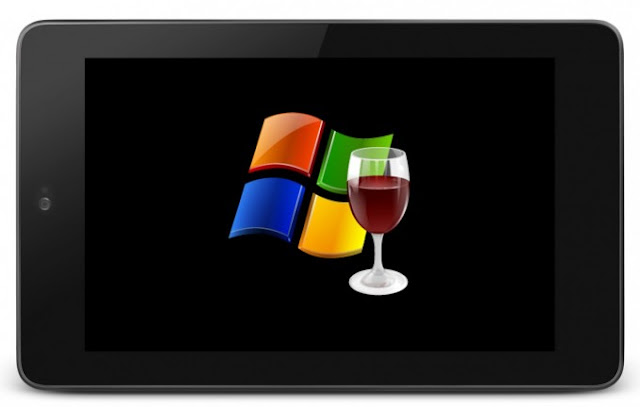
Wine for Android will allow you to run Full-Fledged Windows apps, someday

Several days ago, I have introduce you how to Get Windows 8 Metro-Style Live Tiles on Your Android Device, but have you imagined run Windows apps on your Android smartphone or tablets? Yes, one day, you may be able to run Photoshop CS6 or old version on your Samsung galaxy S3 or other mobile devices. Well, that may one day be a reality and Wine for Android is on the way.
Wine for Android
Wine (WINdows Emulator or Wine Is Not an Emulator) is an open source application that allows Windows applications to run on other operating systems like Linux and Mac OSX. The project features the software library Winelib, against which developers can compile Windows applications to help port them to Linux.

Alexandre Julliard, the original developer behind Wine, showed off Wine on Android on Sunday in Brussels. Phoronix describe the demo's performance as "horrendously slow," but this was simply because Wine was running on an emulated Android environment, rather than on an actual device.

At this point, the ARM version of Wine on Android is functional, but far from practical, while a stable version of WINE for Android would allow you to run some x86 Windows apps on ARM Android phones and tablets, it probably would be more practical on larger screen devices than on a 4 or 5-inch smartphone. With a 10-inch tablet, for example, imagine pairing the tablet with a keyboard dock and booting up serious productivity software like Microsoft Office and Adobe Photoshop. This could certainly help close gap between what can be done on an Android tablet versus a full Windows/Mac/Linux PC.

All in all, a workable version of Wine for Android won’t be release-ready for quite some time temporary, but this proves that it is really a good starting point and of course will improve with time. What do you think, would you like to see WINE for Android or not? Welcome to leave your comments.


Thursday, January 31, 2013

Android Wireless Charging Options: Nokia Fatboy Pillow and Others (Updated)

Nokia showed the innovative and dazzling Wireless Charge to us with its Lumia 920 and 820 in 2012, and nowadays, the technology adopted slowly by the industry gradually become a hot dog and is a technology that once you have, you really never want to live without. Apart from Nokia’s Lumia, Google’s Nexus 4 and HTC Droid DNA also contribute a lot to make the technology mainstream. Today, we are going to take a close look at the Fatboy Pillow and the charging plate and others.Both of Fatboy Pillow and the charging plate are from Nokia (both built to the Qi standard, so yes they work with Android phones).
Android Wireless Charging
Nokia Fatboy Charging Pillow
The pillow (made by Fatboy) is high quality. Filled with a soft material, the material feels great and the seams are sewn very well. The Fatboy Charging Pillow comes in a few colors:  yellow, blue, white, red, and black and you can get it at Verizon and AT&T stores for around $60.
Nokia Fatboy Charging Pillow
To get the charge start, simply drop your wireless-ready phone in the middle and it begins to charge. The feeling is incredible. There are no beeps or notifications, so you'd better to double check to make sure it's charging  while you are using it for the first time.

Nokia Wireless Charging Plate
The plate is made of plastic, and the color is exactly like the phone. It also comes in blue, yellow, red, white and black, while retailing for around $50.
It may be my choice if I had to choose one between them. It’s small and convenient, does the trick, and also comes equipped with the extra-long power cable. I favor this over the pillow.
Nokia Wireless Charging Plate
To charge, just simply lay your phone on it, centered over the Nokia logo. It is very easy to use. It also has a rear LED light that notifies you that your phone is charging.

LG Mobile WCP400 Wireless Charging Orb Nexus 4
Wireless Charging Orb Nexus 4
News from androidcentral report that Nexus 4 charging orb listed online from Pure Mobile for $60, but it's out of stock. Now I have verified the link and find it is available now. So for those who says that charging plate and pillow may not work all that well with the Nexus 4, go to puremobile website to have a check.

Wednesday, January 30, 2013

Blackberry Z10 VS. Samsung Galaxy S3 Specs Comparison,Which One Will You Own?

Struggling Research In Motion Ltd.,now renames itself BlackBerry,finally unveils two new BlackBerry mobile devices on Wednesday, which run on the revamped BlackBerry 10 operating system and serves as a platform for third-party apps in order to compete with the rapidly growing iPhone and Android. So today, we are going to show you how the all-touch Blackberry Z10 compares with Samsung's Galaxy S III, the world’s best-selling phone in Q3.
Display:  BlackBerry Z10 features a 4.2-inch (diagonal) display with a resolution of 1280 by 768 pixels (356 pixels per inch), while the Galaxy S3 owns a 4.8-inches Super AMOLED HD display and the resolution stands at 1,280x720. With the thin all-black body with a soft-to-the-touch back design, Z10 is not a beautiful or elegant phone, but it's well-made and comfortable to hold.

Processor, RAM:  BlackBerry Z10 runs on a dual-core processor clocked to 1.5GHz , 2GB of RAM, while Samsung Galaxy S3 is powered by Samsung’s own quad core Exynos 1.4GHz Cortex A9 processor for international version, Snapdragon S4 dual core at 1.5GHz for the US version.

Camera:  Blackberry Z10 is equipped with a rear-facing 8 megapixel shooter capable of 1080p video, and a front-facing 2 megapixel camera which can do 720p video capture. The camera doesn't take shots as crisp as the ones you'll get from the Galaxy s3, but have a new "wow" features called Time Shift. The Galaxy S3 has an 8-megapixel camera on back and a front camera at 1.9 megapixels.
Time Shift
Storage and cloud:  BlackBerry Z10 has a 16GB of internal storage plus a microSD slot of up to 32 GB, while the Galaxy S3 comes in 16GB, 32GB and 64GB versions and support for SD card up to 64GB. Samsung owns a big advantage in this aspect. BB10 has no built-in cloud system for syncing or storing photos or other data like Android or Apple devices, but says it plans to work on its own system over time.

Operating System:  Running on the new BlackBerry 10 operating system, Performance on the Z10 was generally snappy and responsive and all about the new version of BlackBerry's software is swiping and tapping your fingers on the big screen. Compared to Android, it also offers additional features like BlackBerry Flow, BlackBerry Hub, BlackBerry Keyboard and Camera with Time Shift mode.

Apps:  The Z10 with BlackBerry 10 comes with many of the standard preloaded apps you'd expect -- photos, video, BlackBerry's BBM app (which now supports voice and video calls), important social media apps like Twitter, Facebook, LinkedIn and Foursquare, and a new BlackBerry's own Maps app, not as good as Google Maps, somewhat made us disappointed.
Blackberry Apps
Android and iOS are fully mature platforms now, with hundreds of thousands of apps, RIM's 80,000 or so are simply insufficient to offer a viable alternative. But it's really not about the raw numbers; it's about getting support for key developers, and offering customers a variety of useful and entertaining experiences. So BlackBerry has a long way to have the apps that have become as popular on the iPhone and Android phones, or just as Windows phone.

Battery:  In consideration of the battery power, Samsung Galaxy S3 has a more powerful 2100mAh battery while Blackberry has only provided a disappointed 1,800 mAh battery in the device. Galaxy S3's battery is able to hold up to 12 hours of talk time that vary on the networks available, while Z10 support Talk time up to 10 hours on 3G, Up to 60 hours of audio playback and 11 hours of video playback. Lucky, Users can replace the battery with a spare like the Galaxy s3.

Price:  The detailed price of Z10 is not yet known. Verizon Wireless says it will sell it for $200 with a two-year service agreement. Unlocked version will be sold for $599. The price of Galaxy s3 sometimes as low as $99 for basic model, though carriers typically charge $199 with two-year contract.

Release Date:  Samsung galaxy s3 is now available worldwide, including U.S. in June 2012 and Europe in May 2012. BlackBerry Z10 will hit the shelves In U.S. in March. Varies elsewhere, including U.K. on Thursday, Canada on Feb. 5 and Latin America by end of March.

Bottom Line:  There is no doubt that the Z10 is a fully modern BlackBerry. It is fast than before, has a mobile browser that beats many of the others and an outstanding keyboard; most important it runs a brand new operating system. The new software does offer something different than the others, but overall it (the maps and other features like voice control) and its app store lack the robustness of Apple's, Google's and even Microsoft's offerings. So which do you prefer, it depends on you.

Sunday, January 27, 2013

Top 5 free Weather Apps for android users

Weather plays a very important role in our daily life, if you are planning to spend a quick drive to the beloved beach with your girlfriend, going out for holiday enjoy like a professional traveler across the globe or setting an important appointment with others, surely you should know the weather before like temperature and humidity conditions, etc. In this article, I am going to write about top and best 5 free Android Weather apps for daily use on android device to let you get the weather forecast any time at any place.

Top1: The Weather Channel
The Weather Channel is the most popular and best weather app for Android by far, which provides the most accurate and relevant weather information whenever weather matters to you. With 200+ meteorologists and, ultra-local forecasting technology, the app provides you with the weather tools you need to plan your day, week, or even the next hour.

Main Features Include: Animated & customizable radar maps with Google Maps functionality, Detailed weather conditions and forecasts (hourly, 36 hour,& 10 day), Severe weather alerts for US or Europe,Notification bar with current temp and severe alert indicator,Saved locations, Local and popular videos and The Weather Channel widget for your Android home screen. You can also use Voice Search.

Top2: AccuWeather for Android 
AccuWeather for Android provides you the real-time weather forecasts and information with a nice user interface.

With this amazing app, you will able to get push notification for severe weather alerts but this feature is only available in US. It has a worldwide location screen which provides you the current and last 15 days weather conditions. Its radar for all of North America and worldwide satellite connected with Google Maps provides current news and weather videos which are available in both English and Spanish. With its social media sharing feature you will able to share the weather conditions of you current location. The app also has weather in 23 languages, customizable color themes.

Top3: WeatherBug
WeatherBug is more traditionally used as a day-to-day forecast and weather app, but it does have useful features that can help you track hurricanes and other severe weather conditions. The app comes with a built-in alert system for weather warnings issued in your region or even nearby regions. There is also a weather map that displays a playable radar image of the forecast, so you can see where the weather is coming from and the direction it is moving.

One big disadvantage of this app is the warning system will only alert you if you're actively tracking that region.

Top4: Go Weather EX
Go Weather EX can give you the latest accurate weather forecast easily and support tens of thousands of cities around the world. The app also features a gorgeous dynamic background that brings you the ultimate visual enjoyment.

The key features of Go Weather EX are it supports all types of themes; it let you know the weather condition in the next 24 hours and the weather forecast for the next 5 days, Dynamic Background, Support GO Launcher Widget (GO Widget), Auto refresh.

Top5: 3D Digital Weather Clock
Just as the name indicates, the app has a 3D graphic design, which comes with an awesome widget with Calendar, Time, System info, weather forecast.

The main features of 3D Digital Weather Clock provides 12/24 hour clock +Color choice on some info displayed, System Stats Information pop-up, Battery icon on clock, Weather & Forecast, 2 Forecast layouts.

Please Note, this Widgets on Android work a bit differently than a normal application. Unlike regular programs they don't just install themselves in the application tray so you have to add them manually. They will not open or launch.

Wednesday, January 23, 2013

Free download HD wallpapers for android tablets(Valentines Day Wallpaper include)

There are different HD kinds of wallpapers in the Android Market, cool and fantastic, so it is worthwhile to invest the time on decorating your tablet by setting up customized backgrounds for the device’s homescreen if you have an android tablet. Then you mustn't miss these Best HD Wallpapers(2013 Valentines Day HD Wallpaper include)for your android tablet. Just Free download these wallpapers to your android tablets.

Free happy valentine day HD wallpaper download:
Free happy valentine day HD wallpaper download
Free sweet valentine day HD wallpaper download:
Free sweet valentine day HD wallpaper download
Free Sexy Angelina Jolie HD wallpapers download:
Free Sexy Angelina Jolie HD wallpapers download
Free Lovely Dog HD wallpapers download:
Free Lovely Dog HD wallpapers download
Free 3D HD wallpapers download:
Free Galaxy S3 Stock Dandelion HD wallpapers download:
Free Galaxy S3 Stock Dandelion HD wallpapers download
Free James-Bond-007 Skyfall HD wallpapers download:
Free 3D HD wallpapers download:
Free 3D HD wallpapers download
Free Funny HD wallpapers download:
Free Funny HD wallpapers download
Free Cute HD wallpapers download:
Free Cute HD wallpapers download
Free Beautiful Talor Swift HD wallpapers download:
Free Beautiful Talor Swift HD wallpapers download
Free Beautiful Girls Generation SNSD HD wallpapers download:
Free Beautiful Girls Generation SNSD HD wallpapers download
Free lovely valentine day HD wallpaper download: 
Free lovely valentine day HD wallpaper download
Free Romantic valentine day HD wallpaper download:
Free Romantic valentine day HD wallpaper download:

Monday, January 21, 2013

How to Extend Your Samsung Android Smartphone’s Battery Life

Top-notch Samsung Android Smartphones like Samsung galaxy s3 and galaxy note 2 are really powerful and amazing for its larger and brighter screens, faster dual-core processors and etc., but unfortunately, they all drain battery fast. Many of us have been annoyed that 'Droid faces a battery life void. Fortunately, there's plenty you can do to stem the flow of juice from your Samsung device. Try these tips,tricks, techniques and apps to extend your handset's battery life.
samsung galaxy s 3
Note: In general, all of the information below can extend the time that your Android stays shining bright.

1. Turn Down Your Brightness
I know Bright screens look great but it always eating a lot of battery, so try to dim the backlight or brightness of your screen. Also try to avoid use animated backgrounds on your phone.

2. Adjust Your Screen Timeout
Your phone's screen is on, but you aren't around to use the phone? Often meet this kind of situation? If so, Just Minimize your screen timeout as far down as you can take it to stop needlessly.

3. Turn off 3G or 4G and Bluetooth and Wi-Fi
When you are not using your phone, turn off your 3G or 4G network and Bluetooth and Wi-Fi. Both air signal and wireless connection will drain your phone's battery. And when your Smartphone constantly scans for wireless networks, it is consuming power!
Turn off 3G or 4G and Bluetooth and Wi-Fi

4. Enable Power Saving Mode
This isn't available on all Android smartphones, but if yours has it, Power Saving mode represents a super-quick way to toggle a bunch of settings that can conserve battery life. This is the simplest way to extending your phone's battery life.

5. See what's sucking the most juice, remove unnecessary home screen widgets.
Navigate to Settings > About Phone > Battery Use to see an organized breakdown of what's consuming your phone's battery. Applications and features will display in a descending list of battery hogs. If you see an application you barely use or a feature you never use, just uninstall the app or turn off the feature.

Widgets are always useful but determine whether you need all of them on your home screen as a lot of widgets results in more battery usage. Remove the ones that are less frequently used.

6. Turn Off Location Settings
Several of your Android apps, including Google Maps, use Location Services to pinpoint your position with precision. Turning these off might make your mapping experience a tad less accurate.

7. Use Battery-Monitoring apps to help you
Battery saver apps like Easy Battery Saver or JuiceDefender is really useful and powerful which offer you more control over the ways to gain precious hours of battery life. So try to download a similar popular app on your phone.
8. Samsung Galaxy S3 Extended Battery Kit
If you are using a Samsung galaxy s3, you can extend the phone’s battery life with its official Extended Battery Kit, which have goes on sale online now and could increase the battery capacity to 3,000mAh. So buy one if necessary.

9. Still having the trouble?
If you still find yourself running out of battery life before the end of the day, plug into a charging bag or use an external battery pack to strap on some extra power for the road.

Sunday, January 20, 2013

5 Best alarm clock apps for Android to wake you up on time

Sometimes it was a big challenge for us getting out of the warm bed in the morning,But you have to get up in time to make sure that you will not show up late for work or class. Then you may find the default alarm clock that comes with your Android device is not enough, so pick a cool third-party alarm clock app that help you wakes you up is quite important.

Here in this article, I will show you the  best alarm clock apps available for the android phones in Google play store, just check the best one you like to download.
1. Alarm Clock Xtreme Free (Rated: 4.6)
Alarm Clock Xtreme Free
Alarm Clock Xtreme Free is an alarm clock app that not only wakes you up gently but also helps you avoid accidentally disabling your alarm. Now Integrates with new app Stopwatch Xtreme to solve all your timing needs.

With this app, you can customize your wake up time and use the app for reminders and timers throughout the day. Features include: Set your morning alarm to slowly increase in volume and wake you up gently; Use the extra-large snooze button or solve math problems to prevent you from accidentally turning off the alarm and so on.

The free version is full-featured but ad supported, so try to upgrade to the paid version to remove ads and internet permission. Of course you can have a try before you buy.

2. Alarm Clock Plus(Rated: 4.5)
Alarm Clock Plus
Alarm Clock Plus is one of the fully featured and most stable Android Alarm App. With this app, you can create an alarm and setting it with a nice wake up tone like music and ringtone. You can also set the numbers of snoozes and configure the phone to quiz with maths problems to disable the alarm. Its default dock screen can display the weather and access to the photo slider. The most advance feature of this Alarm App is you can set application to launch like Pandora, email, news reader and other application when alarm sounds.

3. AlarmDroid(Rated: 4.5)
AlarmDroid
If you’re a heavy sleeper or someone who can pick up your phone, hit Snooze or Stop without opening your eyes, then AlarmDroid might be the right choice for you.

To shut your alarm up, you have to solve math problems, sort numbers, select divisible numbers, and answer the days of the week, or pair dice. You’ll be forced to figure out a way around the obstacles and by the time you’ve solved it, you’re already fully awake.

Unlike other Alarm clock apps, AlarmDroid's special feature is the flip'n'snooze feature, which allows the user to turn the alarm clock back into snooze mode by turning over the phone. Further, it provides a speaking clock, which does not only announce the time but even the local weather conditions.

4. Sleep as Android(Rated: 4.6)
Sleep as Android
This is an amazing Android Alarm app with sleep cycle tracker, which tracks your sleep and Wakes you gently in light sleep for pleasant mornings.
The app includes some important features such as sleep graph history, sleep debt status, rings natural alarms like birds, sea, storm with gradual volume up, etc. This Alarm app can record your sleep talk and snoring and it also shares your FaceBook and email accounts.

5. Wave Alarm(Rated: 4.3)
Wave Alarm
Wave Alarm is not your ordinary alarm clock application. Wave Alarm offer a new way to wake up in the morning by makes use of the front-facing camera on your phone or tablet to snooze or dismiss alarms by letting you wave over the device. With Wave Alarm, you never have to touch your phone to silence or snooze, just wave off the alarm!

Other than the waving gesture support, the alarm has a cool non-standard looking bedside clock with date, time and local weather. The app is free, with a $2.99 unlock key to remove ads and give you more color and alarm options.

Pick one suit for you most. Hopefully one of these 5 Best alarm clock apps for Android will be able to wake you up at a nice mood.

Wednesday, January 9, 2013

How to Get Windows 8 Metro-Style Live Tiles on Your Android Device

Windows Phone runs on Windows 8 operating systems have a beauty Metro-Style Live Tiles that nobody can deny. Love the look of Metro's live tiles? Want to Get Windows 8 Metro-Style Live Tiles on Your Android Device instead of buying a new windows 8 phone?
Yes, you don’t have to buy a windows 8 phone in order to experience those sweet live tiles. I have discovered two powerful apps for you, one named Launcher 8 while another new app is called Tile Launcher. Both of the two launcher apps for Android devices that can simulate the Metro interface pretty well. Let’s go to have a look.

Top 1:  Launcher 8, the app which is more mature than the latter, let you experience the brand new style UI on your Android mobile phone. You can easy design look like Windows Phone 8 layout (fake wp8) and show off to your friends!

Features:
Launcher 8
  • You can add different size tiles;
  • You can add a variety of color tile;
  • You can save and restore the theme;
  • You can edit the start screen layout;
  • You can set the current background style;
  • You can switch the application list style
  • You can add Android widgets in the tiles; 
  • You can set the lock screen style;
  • You can select more than one hundred kinds of theme colors;
  • You can add special features tiles,like time ,pictures and contact photo.
Reminder:
  1. shows the live contact needs to read the contact data access permission;
  2. add a shortcut when direct dial call authority need the android Permission. CALL_PHONE; 
  3. add send SMS shortcut operation message need permission.
You can download Launcher 8 on google play(it's free)or just click the link above.

Top 2:  Tile Launcher, which is in beta for Android 4.0 and above, allows you to style your homescreen with customizable tiles on a horizontal canvas. Everything can be customized to any style.

Tile Launcher
Features:
  • Based on stock Jellybean 4.2 Launcher
  • Optimized scrolling
  • Completely customize any tile and defaults for new tiles
  • Shortcut/widget settings (title, text color, background color, images, transparency)
  • Desktop settings, change rows/columns, gap size (access from icon at top right in app drawer)
  • Icon pack support
  • Wallpaper scrolling options
  • Multiple screen (Work in progress - Long click drawer to toggle layouts at the moment)
Note:  Please keep in mind this is a BETA release, so be patient with any issues. Some of the known problems are the tiles moving around when being dragged, overlapping of top left tiles and widget drop causing restart.

You can Tile Launcher Beta on Google Play(it's free) or just click the link above.

Friday, January 4, 2013

Top 5 free Wi-Fi app for android to improve your Wifi Connection

For a smartphone owner, there’s nothing more frustrating than having run out your 3G or GPRS network, only leaving you with a hard time of making calls or sending text messages.  So here I have gathered a list of Wi-Fi apps for android, which allow you to find public Wi-Fi networks, turn your phone into a wifi hotspot and a bit more.

WiFi Manager1. WiFi Manager

This app allows you find, connect, and manage WiFi networks. It can also improve connection quality with a graphical channel radar. Of course the app supports discover open networks around you. Personally, the app it’s my favorite.

The app also includes home screen widgets: one displays detailed connection info, another lets you switch among your favorite networks with a single tap, and yet another toggles WiFi Access Point.

Free Zone WiFi2. Free Zone WiFi

Want cut your 3G some slack? Or save some money by stop use your 3g mobile networking? Then you must download this app.

Free Zone is the easiest way to find and connect to free Wi-Fi networks. As soon as you get into range of a free Wi-Fi network, you're connected automatically to the Internet. Very Easy to use.

WiFinder 3. WiFinder

This app can act as a nice and functional WiFi scanner, and allows you to connect all wifi networks: Open, WEP, WPA, and WPA2. Simple but useful.
Features:
  • List of network contains channel, graphic level, encryption.
  • Save/remove networks supported - Forget option.
  • Auto Scan function.

WiFi Booster Easy Connect4. WiFi Booster Easy Connect
You can connect to the best available WiFi access points in 2 taps with this amazing app! Having been to a place, like a mall or coffee place wondering if there are any open WiFi around you and not wanna go through all the menus just to check it out? Let this app do it for you!

Features:
  • One of the easiest most convenient WiFi Apps you'll find
  • Includes a wifi network speed booster
  • Includes 1 press search for best remembered wifi networks
  • Includes 1 press search for best open wifi networks
  • Very lightweight WiFi Connectivity Manager with Easy Connect and booster

WiFi Overview 3605. WiFi Overview 360
Finding the best and fastest Wi-Fi connection available is an easy task if you use WiFi Overview 360. You can use this app to manage and optimize your WiFi connections through its channel checker and channel radar. It will show you a detailed description of the wireless networks available, including the name, signal strength, channel number, and encryption ,open or not.

To optimize your connection, you can use the app to find a channel or frequency range where there are fewer or no wireless networks using it other than your network. To help you evaluate the wireless networks around you, the app gives you a graphical representation of all the wireless networks within its operating range. From there, the app helps you determine the best channel of choice. So if you want to optimize your network connection, try WiFi Overview 360 for free.

Just try these apps that have showed you in this article if you are on the way to find some app to boost your Wi-Fi connection.

Thursday, January 3, 2013

Samsung Confirms Tizen Phones for 2013, so do we really need another smartphone OS?

People may have been used to Samsung smartphone runs on Google’s Android Operating System or the latest windows phone 8, so would you even consider buying a smartphone running on Tizen backed by Intel Corp as its operating system? Yes, according to the news from businessweek, Samsung is going to sell Tizen-Based Handsets this year to reduce its reliance on Google Inc.’s Android operating system after the tech company acquired Motorola Mobility Holdings Inc. for $12.5 billion in May.

Samsung Tizen
“We plan to release new, competitive Tizen devices within this year and will keep expanding the lineup depending on market conditions,” Suwon, South Korea-based Samsung said in an e- mailed statement today. The company didn’t elaborate on model specifications, prices or timeframe for their debut.

Tizen is a Linux-based operating system that arose out of the demise of Nokia's MeeGo platform. Intel and Samsung have taken over the development of Tizen, and the Linux Foundation is overseeing the project. Samsung hope to make Tizen a stronger competitor to Android, which has been viewed by open-source advocates as too closed off for their liking. The goal behind Tizen seems to be an even more open-source, flexible OS designed to be user-friendly and carrier-friendly.

So if that really happened in the future, will you update your phone to those devices? For most of you, the answer may be is: No.

1. Android and iOS dominate the smartphone market.
Smartphone dividedly runs on Android and iOS have dominate the smartphone market, and most important with no signs of slowing down. According to the news from androidcommunity, Android’s market share grew to 53.7% by the end of November 2012, while iOS have a market share of 34.3%, 0.7% percentage down. BlackBerry and Microsoft’s Windows Phone platform follow up afterwards, but both of them are in difficulty.

smartphone market share
Now both of android and iOS have extremely well-developed ecosystems that make sharing information across services and even across individual handsets a fairly simple, unified process. App development is strong, and OS updates are regular enough to give phone owners new party tricks to show off. Samsung need a long time to build this.

So now it seems it’s the hard time to welcome newbies.

2. Review from the history
Now let’s back to the year of 2009. At that time, there are six major mobile operating systems available for users: BlackBerry, Symbian, Windows Mobile, Palm WebOS, iPhone, and Android. But a year later, Microsoft's Windows Mobile OS and Palm's WebOS crumpled, and development of RIM's BlackBerry OS stuttered. Nokia still supports Symbian, but put all the intention on Microsoft's Windows Phone.

That is to say, in order to build a successful system, you need much money, some extremely competitive hardware, and a truly new feature or approach. Samsung have enough money, and powerful hardware, but lacks of amazing software technology for Samsung to make a successful software OS. In 2009, Samsung released its Bada platform, which is mainly used in lower-end smartphones sold in Europe and emerging markets, but didn’t make a success in the smartphone market.

Ubuntu OS

It was also said that Ubuntu, Firefox line up to take on iOS, Android in 2013.Full of competition.

Anyway, whether there have a chance for a new OS to take center stage the way that iOS and Android did or not, maybe we can see soon. Let’s look forward to this new OS smartphone.What is your opinion about this new system? Can Tizen smartphones steal Android's thunder? Welcome to leave your comments.

Friday, December 28, 2012

Top 10 Best Android Games for Android Smartphone

Today, our smartphone and tablets now can perform nearly any imaginable task as a computer, such as for music, video entertainment, communicate with our friends, file managers, and guides for get a better life with different kinds of apps, and of course we can play most of the games on the smartphone just like on a computer.
10 Best Android Games for Android Smartphone
Between all kinds of the android apps, Games, in particular, in my eyes, mean a lot to Android device users. People can play games with their phone to have fun anywhere anytime, whether on the way to work or just in their space time. So here is a collection of top 10 Best Android Games for Android (Samsung) Smartphone.

1. Angry Birds Space Premium
Angry Birds Space Premium
Compared the adventure version of Angry birds, named Angry Birds Star Wars, I prefer this app, which adds a new spin to your favorite guilty pleasure: gravitational pull. Angry Birds Space features 140 interstellar levels on planets and in zero gravity, resulting in spectacular gameplay ranging from slow-motion puzzles to lightspeed destruction, and also come with a gorgeous, buttery-smooth interface. I have downloaded the app on my htc one x, and really like this game. That is why I put the game in the first place.

2. Need for Speed™ Most Wanted
Need for Speed™ Most Wanted
I have been a fan of this best racing game for a long time, so exciting. And now I install it on my phone, so nice. You can Drive and customize over 40 of the world’s most exciting cars, just like you are in the ride of real life. The only problem is that it could make your phone hot and run out battery quickly.

3. Temple Run
Temple Run
There are over 1,135,753 people have voted for this app, and it gets Average rating of 4.6 stars, amazing game app, don’t you think so?
Temple Run couples great graphics with a very simple, arcade-like premise. This app is talked about You've stolen the cursed idol from the temple, and now you have to run for your life to escape the Evil Demon Monkeys nipping at your heels, by Swipe to turn, jump and slide to avoid obstacles, collect coins and buy power ups, unlock new characters, and see how far you can run!

4. The Bard's Tale
The Bard's Tale
This app is one of Best Android games of 2012 according to Google featured on Google Play, and it offered at a price of $2.99. It is one high-end full-scale massive 3D epic role-playing game that Additional assets downloaded after install require at least 1.7GB of free space, So if you want play the game, make sure that your phone can match the specification the game requires

In this game, you play at the Bard, a roguish wanderer and occasional monster slayer. Through magical song you summon characters to join you in battle, heal your party, and take damage on your behalf. Ready your weapon as you embark on a quest for coin and cleavage! Check the app if you are interested in it.

5. Fruit Ninja
Fruit Ninja
I am sure that most of us are familiar with this app, and even kids can play the games. Simple, interesting and funny. One of the All-time best Android games. Just Swipe your finger to slice all sorts of fruit, while avoiding bombs. It's addictive arcade insanity.

6. Cut the Rope
Cut the Rope
It is an addictively fun, physics-based game, and it’s also a family-friendly game! Cut the Rope has players solving dynamic puzzles that sometimes feel more like obstacle courses. Want your kids become quiet, and then you should install the game on your phone.

7. DEATH DOME: Battle behemoths in a virus ravaged city! Can you survive the Death Dome? Yes, that is the app.
DEATH DOME
8. Where's My Water?  I have passed all of puzzles in the app, developed by Disney.This is the perfect game to play on the go.
Where's My Water?
9. SpeedBoat Shooting: SpeedBoat Shooting Is the Ultimate Gun shooting Game,just Shoot the BAD GUYS as they are attacking your speed boat.
SpeedBoat Shooting
10. Triple Town: An original puzzle game in which you try to grow a great city!
Triple Town

 
//PART 2