Thursday, June 7, 2012

iOS still tops Android with app developers


Despite Android's greater share of the smartphone market, Apple's iOS continues to attract greater support from app developers.
Nearly seven of every 10 apps being created in the first quarter of 2012 were for the iOS platform, with the remaining three going to Android, according to new data released today by research firm Flurry Analytics. iOS generates twice as many apps as Android despite Google's mobile operating system commanding 50.8 percent of the smartphone market compared with Apple's 31.4 percent, according to ComScore data release last week.
One key reason for Apple's popularity with developers is its dominance in the tablet market. Apple's iPad accounted for 88 percent of all tablet user sessions in the first five months of 2012, followed by Samsung's Galaxy Tab with 9 percent and Amazon's Kindle Fire with 3 percent.
App authors can also expect a greater payout from iOS compared with Android, with Apple's mobile operating system delivering developers four times the revenue as their Android counterpart per user, Flurry found.
"At the end of the day, developers run businesses, and businesses seek out markets where revenue opportunities are highest and the cost of building and distributing is lowest," Flurry said in its findings. "In short, Android delivers less gain and more pain than iOS, which we believe is the key reason 7 out of every 10 apps built in the new economy are for iOS instead of Android."
(Credit: Flurry Analytics)
Another contributing factor to developer disparity is fragmentation in software and hardware, which Flurry said appears to be increasing, making Google's platform more complex and costly for developers. The study notes that 17 of the top 20 Android devices in May 2012 had a share of 6 percent or less in consumer application sessions, meaning that each additional device supported by developers will deliver only a small increase in distribution.
Firmware is also a stumbling point, with Gingerbread, the third newest Android version, commanding 70 percent of user sessions, while newer versions Honeycomb and Ice Cream Sandwich combined register on 11 percent of market penetration.
"This means that the majority of consumers are running on an Android operating system that is three to four iterations old," Flurry said.

What is the best tablet computers from android tablet ipad 3 kindle fire ?

Google's Android mobile OS is considered one of the best alternatives to Apple's iOS when it comes to smartphones and tablet computers. Unlike Apple's closed system of hardware and software, the open-source nature of Google's Android OS makes it inviting for many hardware manufacturers to try their hand at making an Android-based device. That said, it's a system that has been slow to bear fruit when it comes to viable competitors to the Apple iPad. 


The following tablets represent the highest-rated Android-based tablets currently available.


Asus Eee Pad Transformer Prime (32GB, gray)

Asus Eee Pad Transformer Prime 

             
Samsung Galaxy Tab 8.9 (16GB)

Samsung Galaxy Tab 8.9 


The iPad is a line of tablet computers designed and marketed by Apple Inc., primarily as a platform for audio-visual media including books, periodicals, movies, music, games, apps and web content. Its size and weight fall between those of contemporary smartphones and laptop computers. The iPad runs on iOS, the same operating system used on Apple's iPod Touch and iPhone, and can run its own applications as well as iPhone applications. Without modification or a developer certificate, the iPad will only run programs approved by Apple and distributed via the Apple App Store (with the exception of programs that run inside the iPad's web browser).


Like iPhone and iPod Touch, the iPad is controlled by a multitouch display—a departure from most previous tablet computers, which used a pressure-triggered stylus—as well as a virtual onscreen keyboard in lieu of a physical keyboard.

iPad is sold in Wi-Fi and cellular models. The Wi-Fi connection is used to access local area networks and the Internet. Cellular models have a 3G or LTE wireless network interface which can connect to HSPA or EV-DO data networks in addition to Wi-Fi. Since the release of iOS 5, the device does not need to be managed and synced by iTunes running on a personal computer via  cable.

Apple released the first iPad in April 2010, selling 300,000 units on the first day and selling 3 million in 80 days.During 2010, Apple sold 14.8 million iPads worldwide, representing 75% of tablet PC sales at the end of 2010. By the release of the iPad 2 in March 2011, more than 15 million iPads had been sold—selling more than all other tablet PCs combined since the iPad's release. In 2011, it took approximately 73% of the tablet computing market share in the United States. During the fourth quarter of 2011, Apple sold 15.4 million iPads.
        
The Kindle Fire is a tablet computer version of Amazon.com's Kindle e-book reader. Announced on September 28, 2011, the Kindle Fire has a color 7-inch multi-touch display with IPS technology and runs a forked version of Google's Android operating system. The device—which includes access to the Amazon Appstore, streaming movies and TV shows, and Kindle's e-books—was released on November 15, 2011.
The Kindle Fire retails for US$199. Estimates of the device's initial bill of materials ranged from $150 to $201.70. Analysts have projected the device to be a strong competitor to Apple's iPad, and that other Android device makers will suffer lost sales. Amazon's business strategy is to make money on the selling of digital content on the Fire, rather than through the device itself.
The Kindle Fire's external dimensions are 7.5×4.7×0.45 inch (190×120×11 mm), with the visible area of the screen a little smaller than a standard 4×6" photograph.
Customers began receiving their Kindle Fires on November 15, 2011, and in the following December, customers purchased over 1 million Kindle devices per week. International Data Corporation (IDC) estimated that the Kindle Fire sold about 4.7 million units during the fourth quarter of 2011.
Recently, the Amazon Kindle Fire helped the company beat their 1Q estimates and boosted the company's stock in extended trading.


As We can see, ipad and kindle fire just get one model for us to choose, it's can be a pity, but android tablet gets so many brand model for us to chooes, it's rich in products
As for the apps, android will rank first for the amount, kindle fire rank the third, ipad are  specialized on its own os, free apps at itunes can satisfy the daily needs, if you want to paly some featured apps, you have to pay.

If you are apple fan, there is no doubt that you will choose ipad. you know apple is well know as it exquisitive 

I just talked about the models , apps , their advnatage, you can also compared their run speed, bateery, size etc. Finally, i want to say tablet computer is really a good choice for our moving life .

Wednesday, June 6, 2012

Verizon's Motorola Xoom gets Android 4.0 update


                                      Verizon's Motorola Xoom is now upgradable to Android 4.0.


A few weeks ago, we reported that two Verizon products, the Motorola Xoom and the HTC Rezound, would soon be slated for an Android 4.0 update. Lo and behold, it's happening -- at least for the Xoom anyway.


Customers on the Big Red are now able to update their tablets (which won our CES Best of Show title in 2011) to the Ice Cream Sandwich operating system.

New features include the Roboto system font, panoramic shooting, e-mail search, the capability to save Web pages for offline reading, and a photo editor integrated in the Gallery app.
In addition, improvements have been made to quicken the response time for screen rotations, there are more video editing effects, and you can now launch the camera from the lock screen.

Tuesday, June 5, 2012

Video Editing Software Review


Video cameras have been around for decades, but it's become increasingly common to have a video camera. Most cell phones come with video capabilities, giving you the perfect opportunity to capture the moment. Now the real question is: what should you do with all your video files and photos? Simple. Video editing software is the perfect way to compile all of your videos and photos, edit professional home videos and distribute the movies to friends and family.

We looked for the best video editing software available on the market. We looked at the three stages of video creation which are import, edit and export. With these three steps in mind, we evaluated and reviewed a long list of products and narrowed it down to our top choices. Our top three picks for video editing software are CyberLink PowerDirector, Corel VideoStudio Pro X4 and Adobe Premiere Elements. For more information, check out ourarticles on video editing.


Video Editing Software: What to Look For

When you are when you are looking for the perfect video software there are three main aspects to consider: import abilities, editing features and export options. Each of these elements is important for creating and sharing professional-looking videos, so we looked for products that include tools and features to address these needs. To ensure we recommend only video editing software that has all the features you need in an easy-to-use interface, these are the criteria we used to review each product:


Video Capture/Playback

This section addresses how you can import videos from various devices and in diverse formats. A good application will work with virtually any camera, camcorder or even VCR and let you pull the files you want directly from the device via your computer. We also look at how well the program will play the video during the editing process. Some applications have a choppy or disjointed playback so it is difficult to tell how your final product will look.


Ease of Use

Nothing is more frustrating than purchasing an application that is difficult to use. We looked at the different features available for video editing and how simple it was to perform various tasks. This section also includes the design of the user interface and how everything is organized in the application. There is no point in purchasing a program if it is going to make tasks more difficult than they should be.


Editing Tools

Editing tools include everything from changing the background lighting and color tones to clipping the video so you get the perfect segment for what you need. This is the section where we evaluate the strengths and weaknesses of each application's editing tools. We specifically look for whether the application includes a storyboard and timeline layout, a video stabilizer and the ability to add text to the video. Without editing tools, the application has little going for it in the way of presentation.


Export/Production

There is no point in making a video if there's no way to view it. With the export and production options you are able to save your movie to a variety of discs or locations. Some programs even have a direct upload to YouTube. Not only do you have to worry about what disc to save your movie to, but it is also important to consider the format of the file, whether you want a MPEG or a MOV file.


Editing Effects/Transitions

The features we look at in this section are what really define the abilities of video editing software. This is where you add all of the fun transitions between pictures and videos. Some applications are even set up for adding 3D effects to videos as well as working with HD. It is these transitions that really make your video unique so you will want to make sure that the application you choose has all of the options you want.


Disc Creation

This section is different from the Export section in a variety of ways. This section covers whether you can make menus and divide your movie into chapters. This makes it easier to navigate through your finished videos. Another aspect this section covers is whether the software itself is capable of burning discs. If the video editing software can burn the discs you don't have to worry about finding another application to transfer the files from your computer to your Blu-ray Disc or DVD.


Audio & Photo Editing

Not only can you have video within in your movie, but you can add photos and your own audio to the mix. There are separate editing tools for both audio and photo. By editing the audio clips you can time your music to your videos. And with photo editing, you can have even more options when it comes to showcasing your latest adventure since you won't be limited by having only your video files.


Help & Support

When working with any complex software, having manufacturer help and support can make or break an application. It is the nature of video editing software to be feature rich and if you run into a snag you should be able to contact someone for help. Manufacturers provide a variety of options for helping you. These include phone numbers, email addresses, manuals and even tutorials. If the software you select has good support options, you won't have to worry about getting stuck in an application; you can rest assured that you will receive the help you need.

Video editing software can turn your raw video footage and photos into professional-quality masterpieces. The applications we reviewed can provide you with the features you want in an easy-to-use interface. And, if you do happen to get stuck there is always the help and support offered by the manufacturer. Now you can put those videos and photos to use when you make your own home movie to share with your friends and family.
At TopTenREVIEWS We Do the Research So You Don’t Have To.

From:toptenreviews.com

Monday, June 4, 2012

How to Get New Android Market Place – Download Apk

      Sometimes small small updates brings a smile for all of the mobile users. Be it a firmware update or any news about an update is just like a spark and we really feel to experience the same as soon as possible and possibly before its made public. We have seen with the Google Plus invites and now with another such thing that is with an all new Android Market Place which has just now got a face lift. Though the last update for the Android Market Place was a mere cosmetic change with a new interface which was not that major but now the new update for the Android Market Place is really refreshing and is much more appealing than ever before. So, in the due course of the article we will see on how you can update your phone so that you will get to use the new Android Market Place even before your friend or fellow Android user gets the same. You can also see that the Android Market Place has also got an all new icon which can be seen in the screen shot below.


                        Home Screen


Though this update for the Android Market Place is in the beta stages, and is pushed as a final version in some select parts of US, we will tell you on how you can get the swanky new update for your Market Place. This new update for the market Place is dubbed as the version with the version number as 3.0.26 and can be applied to any Android Phone irrespective of the model number and the place from where the phone belongs from. The best part and also the highlight of this new update is that if you have selected an option that is “Automatic Update” then you will get all the updates automatically and you don’t have to again set for automatic updates again which was the case with the older version of Android Market Place.


If you have a look at the new Market Place then its really streamlined and showcases the Android apps in a much more intuitive manner than before and also it gives a whole new lot of options. As soon as the market place opens up you will see that the “Featured” applications section is being shown where you will find a change compared to the previous Android Market version that the applications now shown are in the beautiful icon format than the earlier’s list format which was not that much visually appealing.


                        Featured
From the featured applications, if you have a look towards the left of the screen, you will see “Categories” section wherein you will see that there are many categories which are shown in the list format with a green theme colored pattern. Next towards right, there will be “Featured” section which we saw and after that towards right the next section is the “Top Paid” section wherein you will find all the top paid applications as shown in the screen shot below. All the “Top Paid” applications are shown in the 2 x 2 tiled format which again is a very visually appealing change compared to the earlier version of Android Market Place where everything was in the list format.


                        Categories
Now, after the “Top Paid” section, the next section is the “Top Free” applications section wherein all the applications are shown in the 2 x 2 format where in all the popular applications are shown that are right from Google Plus to the Angry birds to the facebook application, all free applications are listed at this section as the name itself suggests that its a section of free applications.


                          Top Paid


Next to the Top Free applications, you will see that there is a section called “Top Grossing” where in a mix of Top free as well as Top paid applications are grossed and are listed at this place. You can see the screenshot below wherein the section of Top Grossing section is being shown.


                          Top Grossing


After this there are two new sections which have been added in this version of Android Market Place which are the “Top New Free” as well as the “Trending” sections as you can see in the below screen shot. Also, in these two sections all the applications are listed in the 2 x 2 icon format wherein all the applications are shown in an intuitive icon format unlike earlier’s overall view of the list format where in you had to go through many taps to get into the individual sections, but in this market place, all you need to do is to just slide the glass so as to go through various sections of the applications which are there in the Android Market Place. While in the Top new Free, all the applications which are new are listed here and in the “Trending” section you will gett o see all the applications which are downloaded maximum number of times by the users are being listed in this section as you can see in the below screen shots. So, now lets proceed and check out on how you can update your existing Android Market Place with the new one.


Procedure to Get new Android Market Place:


First up you will have to download the New Android Market Place Zip file in your computer after which you just need to unzip the same to get the apk file of the new Market. But in the process of extraction you will be prompted to enter the password and you will have to enter the password as androidadvices.com.
After extraction, you will get the apk file for your Android Market Place which you need to copy in your phone which you can do by connecting the phone with the computer by using the USB cable.


Now, from your phone you will have to open the same so that you can install this all new Android Market Place which will overwrite the existing Market Place in your Android Phone.


That’s it you have now successfully installed the latest Android Market Place in your Android device. Do let us know if you face any issues while updating with the same as we will ensure that you have no issues while you update your Android Market Place with the new one. So, all in all this new update of the Android Market Place is not only very visually appealing but also is very much user friendly as it has a very streamlined user experience.


From:http://androidadvices.com


Some featured Android Apps you may want

1  Big Buttons Keyboard 
If you are doing a lot texting, and you really dont like the typewriting with the phone itself, and want to make the with big button, then you can try Big Buttons Keyboard. 


It is the older, original version of Big Buttons Keyboard, now called Big Buttons Keyboard ORIGINAL and is meant only for older phones that can not be upgraded beyond Android 1.5.


download link:http://www.mymobileinnovations.com/android.aspx


2 TubeMate


If you're a YouTube addict, then TubeMate YouTube Downloader is the perfect app for you. Besides, allowing you to watch movies on your phone, it allows you to download YouTube videos in a variety of video formats and resolutions, or as MP3 files. This means you can watch YouTube clips and listen to songs without connecting to the internet.


3 Music Wizard
MP3 search and download, millions of mp3 music from free music from public search engine. simple and light weight. No-frills interface,reliable search results. 


MP3 search and download, millions of mp3 music from free music from public search engine. simple and light weight.


4 Tango
You may know the facetime of iphone, you want to try, but you dont have a iphone.
Tango will help!Tango is the ONLY app that lets you make FREE Video Calls, Phone Calls, and send FREE Video Messages! 


Tango for iPhone, iPod touch, and iPad!


5 Google Play Books
May you are checking  What is the best book app for Android? Use Google Play Books app and read your favorite books and authors on the go today. Choose from millions of titles on Google Play including new releases, New York Times best sellers, up-and-coming authors, and free books. Easily personalize your reading experience, pick up where you left off on your phone, tablet, or computer, and get reading today!


6 Cut The Rope
Cut The Rope can be a  awesome games to play at your spare time.Cut the Rope, catch a star, and feed Om Nom candy in this award-winning game! A mysterious package has arrived, and the little monster inside has only one request… CANDY! Cut the ropes, release candy into Om Nom's mouth, collect shiny gold stars, and unlock new levels.


7  Happy vegitarian recipie 
Find vegetarian, vegan, veg-friendly restaurants, and health food stores nearby.
Find vegetarian, vegan, veg-friendly restaurants, health food stores, and other types of vegetarian business nearby your location, or enter a location manually. The app provides a list or map of vegan & vegetarian restaurants in 90+ countries.
HappyCow VeginOut Free
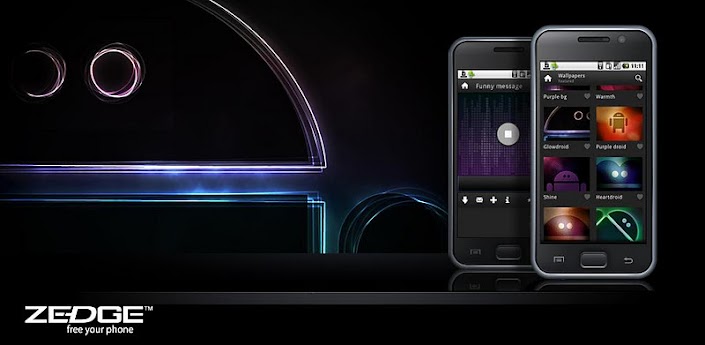
8  Zedge
So What is the best FREE app to get ringtones for an android phone? Free Ringtones, Wallpapers, Alerts, Live Wallpapers & Games enjoyed by millions. For years Zedge has been the most trusted and popular source of free ringtones and wallpapers in the world. Now Zedge also offers free Games and Live Wallpapers. 40 million people get more than 200 million free downloads from Zedge every month. Zedge’s brand is synonymous with high quality, diversity, uniqueness and great fun.
Zedge

9 JuiceDefender
Android phone battery dies very fast so I'm looking for the best battery saver to download that really worksReclaim your battery! Save power and extend battery life with JuiceDefender
*** Over 7,000,000 Downloads! *** JuiceDefender - Battery Saver is a powerful yet easy to use power manager app specifically designed to extend the battery life of your Android device. Packed with smart functions, it automatically and transparently manages the most battery draining components, like 3G/4G connectivity and WiFi.
JuiceDefender - battery saver


 10 Voice search
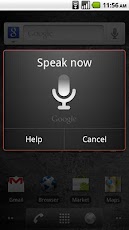
 You just saw the new Siri feature on the iPhone 4s, and you were  really amazed by it. You may be wondering if there is an android app that is similar to Siri? Search the web and your phone by voice and control your phone with Voice Actions Quickly search your phone, the web, and nearby locations by speaking, instead of typing. Call your contacts, get directions, and control your phone with Voice Actions.

You can download most of the apps at play.google.com/, hope you enjoy your andriod .


Friday, June 1, 2012

Top Free Android Apps


                I
If you own an Android smartphone, you will no doubt want to download plenty of great apps. While you may wonder about the best deals you can get from Google Play, formerly known as the Android Market, but there are plenty of quality apps you can get for free. These are all well worth exploring and downloading to your phone so that you can have the best experience in many areas, including entertainment, personal finance, navigation and more.
Google Wallet is one of the best free apps that is available for download on many Android smartphones. Created by a top developer, you will no longer have to worry about the best credit cards to have on hand when you are on the go as you can simply enter your information into this app and use it to make purchases at a variety of different vendors. This is a great app to have right at your fingertips on your phone, especially if you are a bit of a scatterbrain who occasionally forgets your wallet! It works with MasterCard credit card information.
Pandora Internet Radio is a fantastic app for Android smartphone owners who enjoy listening to music while on the go. Essentially, you can create your very own personalized radio station that you can listen to directly on your device. It runs on ads, but this is not an issue as the majority of what you will get is music. Simply select an artist or a band and the app will play them and artists and bands that are similar, which is a great way to be introduced to great music you have never heard before.

Facebook for Android is an essential free app that you can enjoy on your smartphone. It keeps you in the loop with the social networking website and all of your friends who use it. You receive many of the same features that you would have on your computer and can easily and quickly post status updates, reply to friends’ statuses and post photos and videos right from your Android phone.
Skype is a great free app that allows you to engage in video chats and IM sessions with others. You can use it to chat with anyone who has Skype, whether they have it on their own smartphone or on their computer. It is fun, easy and convenient to use.
Angry Birds is the most widely popular and successful game for mobile devices, including Android smartphones. It has recently reached one billion downloads with good reason as it is a great way to pass time. You may find yourself having loads of funs for hours on end while flinging the charismatic, colorful birds at the silly green pigs that have stolen their eggs. Even if you play for minutes at a time, you will find yourself coming back for more.
While many Android nay-sayers claim that Android has nothing over Apple when it comes to the number of apps, there is no doubt that Android does have a large number of high quality apps.  So if you have an Android phone, make sure to have the aformentioned apps on your phone to have the best Android experience possible.
From:http://thedroidguy.com

 
//PART 2